
Software installation & Configuration

- Description
- FAQ
- Reviews
Software Installation and Configuration
Are you interested in building a career in Information Technology but don’t know where to start? This course will equip you with the practical skills needed to install, configure, maintain, and troubleshoot software systems used in homes, businesses, schools, and organizations.
Welcome! Our Software Installation and Configuration program is designed to provide students with hands-on experience in installing, managing, and configuring computer software, operating systems, and essential applications used in today’s digital workplace.
Throughout this course, you will learn how to install and configure various operating systems, productivity software, utility programs, security applications, and network services. You will gain practical experience working with real computer systems and industry-standard software tools, preparing you for careers in technical support, ICT, and systems administration.
Practical Learning Experience
This course focuses on real-world scenarios and practical exercises that simulate the tasks performed by IT professionals every day. Students will learn how to analyze system requirements, install software correctly, configure applications, and resolve common software-related issues.
Whether you are completely new to information technology or looking to improve your existing technical skills, this course will guide you step-by-step from beginner to professional level.
What You Will Learn
-
Introduction to Software Installation and Configuration
-
Computer Hardware and Software Fundamentals
-
Operating System Installation and Setup
-
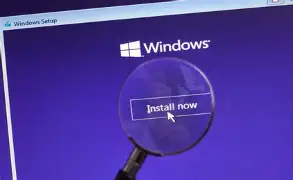
Windows Installation and Configuration
-
Software Deployment Techniques
-
Driver Installation and Management
-
User Account and Permission Configuration
-
Application Installation and Management
-
Antivirus and Security Software Configuration
-
Network and Internet Configuration
-
System Updates and Patch Management
-
Software Troubleshooting and Maintenance
-
Backup and Recovery Procedures
-
Performance Optimization Techniques
-
Software Licensing and Best Practices
Hands-On Projects
Throughout the course, students will complete practical projects designed to reinforce learning and build confidence.
You will learn how to:
-
Install and configure operating systems.
-
Install application software and utilities.
-
Configure network settings and internet connectivity.
-
Troubleshoot software installation problems.
-
Manage system updates and security settings.
-
Optimize system performance.
-
Perform software maintenance and support tasks.
-
Configure users, permissions, and system settings.
Industry-Relevant Skills
Modern organizations rely heavily on properly configured software systems to support daily operations. As a result, skilled software installation and configuration technicians are in high demand across various industries.
This course helps students develop the technical expertise required to support computer users, maintain software environments, and ensure systems operate efficiently and securely.
Career Opportunities
Upon successful completion of this course, students may pursue careers as:
-
ICT Support Technician
-
Help Desk Technician
-
Technical Support Specialist
-
Systems Support Technician
-
Software Installation Technician
-
Computer Technician
-
Network Support Assistant
-
IT Assistant
-
Desktop Support Technician
-
Systems Administrator (Entry Level)
Build Your Professional Skills
A practical project is included throughout the training to help students develop real-world experience and create a portfolio of technical achievements. These projects simulate workplace scenarios and provide valuable hands-on exposure to software installation, configuration, maintenance, and troubleshooting.
By the end of this course, you will have the confidence and technical skills needed to install, configure, maintain, and support software systems in a professional environment.
It is time to upgrade your skills and become a Software Installation and Configuration Professional.
-
1
 Introduction
Hi there, my name is Dan, and I'm an Adobe Certified Instructor. Now together, you and me, are going to learn how to use Adobe XD.
Now, this UI/UX design tool is going to help us create beautiful user interfaces as well as streamlining our user experience. During this course, we're going to use an actual freelance project I'm working on. The project needs both a web interface and a mobile app. So it's going to give you a really good understanding of how to run your own potential UX project. And my course here is aimed at people new to Design, and those experienced.
-
2
Getting started with your Adobe XD project
-
3
What is UI vs UX - User Interface vs User Experience
Before we get started, we'll just quickly cover what UX versus UI is. If you're new to the field, they kind of get bandied around together. UX is more of an umbrella term. It covers a lot of components including UI. So UI, User Interface Design is what we're going to cover in this course.
-
4
The brief & persona for our real life project
So before we get started I want to quickly just outline the brief for this project. This is an actual project from one of my clients. I thought that would be a nice way to explore XD, through an actual project.
So what we had to do, there's kind of UX research side of things, and we had to build out a client brief, which I'll show you here. And we had to build out the Persona, just like who the target audience is going to be.
-
5
Wireframing (low fidelity) in Adobe XD
Hey there, to get started you need to download the exercise files. There'll be a link in the comments or description below. Sometimes there's a button, you're looking out for the 'Download Exercise Files'.
-
6
Working with existing UI kits in Adobe XD
Hi there, in this tutorial we're going to get our page started here. We're going to go to page, get it to have a navigation. We're going to pull it from some of the templates that are built in from XD, and make it look like this. All right, let's get into it, and get started in XD.
-
7
Working with type in your XD wireframes
Hi there, in this video we're going to look at Type in XD. We're going to update some of the Nav here. We're going to talk about what fonts we can use, and can't use. We'll do some aligning and distributing, and we'll update the logo here, in the top left. Exciting. Not really, but some essential stuff, so let's get in and do it.
-
8
How to create forms, checkboxes & buttons in Adobe XD
Hi there, in this video we're going to make some Input boxes and some Checkboxes, and a Button. We'll also look at creating our first Character Style. So let's go and start creating now.
The first thing I want to do is, I'm going to grab the Rectangle tool and just divide off a bit of space. This is going to be my On Boarding Box. It's above the fold, it's my most important. It's asking people to kind of become a member, or at least test their course. So what I'd like to do is-- I'm happy with the white Fill. The border here, I'm going to change it a little bit to be dark. You know, I said don't spend too much time picking fonts and colors. I can't help myself sometimes. I've just picked a slightly darker gray. I'm going to use this gray throughout the course.
-
9
Free icons for your Adobe XD & UX UI projects
Hey there, in this video we're going to go and find icons. You can see, the video here, there's a new icon there, there's Image1. So we're going to go and show you the main places to go and gather consistent icons. There's three main places. And then we'll lay out this real quick. Just to rest the page, or chuck in our Footer. So let's go and do that now.
-
10
Prototyping & adding interactivity to Adobe XD
Hi there, welcome to this tutorial where we're going to start Prototyping, and adding a bit of interaction. You can see these wires hanging around here. What happens is, when I hit 'Play' I can hit 'Preview', then close it down, and go back. So that's going to add a little bit of interaction so that we can start moving around these Artboards and start doing some testing while we're working. All right, let's get started.
-
11
Production video - student views in Adobe XD
Hey there, this is our production video. What is a production video? It's where I need to make this stuff for this tutorial to carry on. You can either follow me, or skip it because we're not going to learn anything particularly new. You see some of the work flow that I go through so it can be interesting, or you can just skip on to the following video where we learn some new stuff.
-
12
How to make & use symbols in Adobe XD
Hi there, in this video we're going to look at Symbols in XD. Why are they good? It's because when I've got a symbol, you can see here, I've got the Navigation used on more than one page, and when I update it, they both update and change, which is super helpful for things that are reused across lots of documents, like Footers and Headers. Let's go and look at how to create those now.
-
13
Using the repeat grid in Adobe XD
Hey there, welcome to the best video in this whole course. It's about the Repeat Grid. I love the Repeat Grid, it's got a lame name, it should have a super exciting name, but it doesn't. What it does is, you draw something once, and it repeats on forever. Look at that. Same with these, we're going to make this 'Course List', and it shrinks and contracts, it just keeps adding more and more forever. So good. I love it! Let's go learn how to do it now in this video.
-
14
Mocking up an App in Adobe XD
In this video we're going to look at building the iPhone version, or the app version of our product. And then we'll link it all up, so it kind of slides next to each other. All right, let's go and build this now.
We've been working with the templated Wireframes from XD for the web. So we want to go and open up the ones for Mobile. So in your 'Exercise Files', under 'UI Templates', under 'Wireframes' there's one in there called 'Mobile'. Open it up, and same sort of thing but obviously for Mobile screens.
-
15
How to use the XD App on iPhone & Android
All right, so it's time to download the app. There's both, an Android and an iPhone version, which is awesome. So go download that for your mobile phone. Now there's two ways of actually getting it on there depending on if you have a Mac computer like a MacBook Pro, or an iMac, or if you have a PC. It's okay, PC as well.
-
16
Production Video - Sign up screen & Dashboard
Hey there, welcome to this production video. Before you skip along, there's one thing you should check out in this video. And it's straight after my little introduction. And it's basically adding this kind of sliding thing that you need to know. The rest of it though, we're going to build all these pages here for our app. And yes, nothing super exciting. So you can skip after you learn how to do this thing. All right, let's get in and do it.
-
17
Sharing Wireframes for comments in Adobe XD
Hi there, in this video we're going to look at sending out our Wireframes to get some comments back. We're going to use this little option here and show you how to work this so that you can send it out to colleagues, or to the client, or to user testing. So let's go and do that now in this video.
-
18
Mood Boards & resources for Hi fidelity UI design in Adobe UX
Hey there, in this video we're going to look at getting started with our High Fidelity mock-up. We're also going to look at Resources to help you get started. Like this one here is a Windows UI, there is some cool Apple ones you'll find. There's a great Google material one. And we'll look at where to get our kind of ideas for our Mood Board. We'll build kind of a quick little Mood Board. There he is, for our design ideas and we'll put them all together in our XD document. All right, so Resources and Mood Boards, let's get into it.
-
19
Why do you need a 12 column grid in Adobe XD
Hey there, in this video we're going to talk about why we're going to create a 12 column grid. If you already know why you need a 12 column grid you can skip to the next video. For those who don't, let's get started.
First up is, why we're using the 12 column grids? If you don't know, when you are coding a website on the other side-- we're dealing with the design, the front end designs right now. When it actually has to get turned into a website what will often be used as a frame work that uses the 12 columns as its structure.
-
20
How to create a 12 Column Grid in Adobe XD 2018
Hi there, in this tutorial I'm going to show you how to make a 12 column grid basically with one little click. Turn it on, turn it off. XD has got an automatic feature that makes our column layout super easy, super quick. Let's go and do it now.
First of all, I'm actually Dan from the future. I've come back in time to this video to update it because the original video that I made, you actually had to grab the Rectangle tool and you had to make a column, you had to divide it by 12, and the width, and work out gutters, and all sorts of other drama. So I've come back here to update it because there's a new feature that does it pretty much automatically.
-
21
Working with colors inside Adobe XD CC
Hey there, welcome to this video, all about color. We're going to find out how to steal colors from say an existing logo or brand, and use those. Then we're going to convert them into our Assets panel. We're also going to turn them into this handy kind of reusable option down the bottom here. We'll also jump and have a look at something like this, where there's kind of inspiration for color, and how to use those. All right, so let's jump in there now, and start making colors.
-
22
Use Web safe fonts or iOS or Android specific fonts in Adobe XD
Hi there, in this video we're going to look at how to bring in fonts from both Chrome and TypeKit, and bring them into XD and why we need to pick a couple of fonts, and only a couple of weights, otherwise our website or app will explode. Let's go and check out why in this video.
-
23
How to use Character Styles in Adobe XD
Hey there, in this video we're going to look at Character Styles. We're going to add them to our Assets panel over here, and then show how awesome they are when you go and edit them. And they change color magically, all connected to this Character Style. Totally essential when you've got lots of pages you've mocked up, and you need to control fonts over a big scale of pages. All right, let's go and check it out.
-
24
Creating realistic buttons in Adobe XD with paste properties
Hello, in this great video we're going to look at how to make Buttons. Seems simple, but I have a tendency of making squares with text in them. And users don't know that they're buttons so there's a little bit more to it. I'll show you best practices by looking at something like material.io, where they have good examples, and documentation. And we'll also learn a cool little trick that you can use for all sorts of things in XD where it's copy and paste properties. All right, let's go and make Buttons.
-
25
How to draw your own custom icons in Adobe XD
In this video I'll show you how to make a little easy little sort of a squat, but we're going to make this login icon. We'll also bring this one in here and as a bonus, I'll show you how to turn, easily, the columns on and off. So that you can just see what you're working on easily using a cool little shortcut. Let's go do that now in XD.
-
26
How to make a gradient & blur in Adobe XD
Hey there, in this video I'm going to show you how to work with Gradients, move it around, pick colors, that sort of awesome thing. All right, let's go and make some gradients.
So in the last video we drew this shape with this squiggly line down the bottom. I'd like to add a gradient to it. They hide gradients a little bit, so if you click on Fill, where it says 'Solid Color' at the top, this is where you get to a gradient. And it's got a lot of the typical gradient options.
-
27
The pros & cons for working with images inside Adobe XD
In this video we're going to look at importing Images, the pros and cons, and why you need to have very, very big images to support all sorts of devices later on when we're exporting. All right, let's go and look at images now.
-
28
Working with Illustrator, Photoshop & InDesign in Adobe XD
In this video we're going to look at how to use Illustrator, InDesign, and Photoshop all together nicely with XD, plus we'll do some cool Photoshop stuff, where we turn him into super long version. Same with her. She becomes super long version. I promise, it's Photoshop magic. Let's get in and do it now.
-
29
How to mask in Adobe XD
Hi there, in this video, we're going to look to make masks, how to create them, and then, how to edit them afterwards. We can drag them around, come back out, they're fully editable, lovely old masks. All right, let's go and make those now. -
30
Production Video - Adding text fields & buttons in Adobe XD
Hey there, in this video, it's going to be a production video so we're just going to go through and do some stuff, and what I'm going to do is, this stuff at the top here where we add some text fields, some buttons and we drag this up a little bit, do some amends, we add some Place Holders, and we look at this, which is really cool. It is the feature requests for XD, or bugs. It's a way for you to go through as a user and say we really need underlining, and up-vote it, and look at the other ones, up-vote what you think because whatever gets to the top of the voting pile, Adobe XD would do next. So a handy little thing to go in and say yes we need these features quick smart. All right, let's go in and do it.
-
31
How to make a popup model in Adobe XD with a blurred background
Hey there, in this video we're going to make this page, where the background is kind of faded out and dark, and this little popup nodal appears. Let's go and learn how to do that now in Adobe XD.
-
32
Creating 12 column card dashboard using the repeat grid tool in Adobe XD
Hey there, in this video we're going to look at creating this Instructor Dashboard based on a 12-column grid. We're going to turn it off so it looks pretty, we'll make all of this, then we'll transfer it over to our Home Page and do some fun stuff where we blur out the background and add buttons, and do cool stuff with symbols. Lots of things to cover in this video. Let's go ahead now and do it.
-
33
How to make a mobile phone mockup with Adobe XD & Photoshop
Hi there, in this video we're going to mockup our dashboard on a mobile phone. We're going to use the Adobe Market that allows us to get editable PSDs from it and also use Smart Objects so that we can do cool stuff when we update things like the logo that we've made. Actually just going to destroy it. Hit 'Save', it means that Photoshop mockup updates automatically. And if I go to XD, give it a second and XD updates as well. Makes it super useful when you are kind of half way through things like designing logos, like I am for this product; CC Libraries rule. Let's go learn how to use that now in XD, Photoshop, and Illustrator.
-
34
Make an APP version of your Adobe XD UX project
Hey there, in this video we're going to build the app version of Instructor HQ. We're going to build a simple onboarding system and then stylize our sign up system, then have a look at our Dashboard. As part of this as well, we'll look at logos and some of the pros and cons of using XD, PNGs, SVGs, gradients. There's a little bit of goodness at the beginning and then we're just going to build out the app up to this level. All right, let's go and do that now in XD.
-
35
Hidden features for Adobe XD Repeat Grid
Hey there, in this video we're going to use Repeat Grids to do easy repeats, but we're also going to do some fun stuff. Can you see, it repeats with separate images and different bits of text, all automatically, that is pretty cool. Let's go and learn how to do that now in Adobe XD.
-
36
Advanced prototyping using buttons & dropdown menus in Adobe XD
Hi there, in this tutorial we're going to look at ways of faking interactions by doing things like this, with our little drop down menus. We close it back up, all nicely faked in XD, plus in our apps, we can have navigation push in, push back out, and we can have nice little search boxes, click back out. Lastly we can add things to cart, and they appear in that little cart here. Let's go look now how to make these using Adobe XD Prototype.
-
37
One more Prototype trick & faking depth of field for mockup
Hey there, in this tutorial we're going to look at one more trick for Prototyping, and we'll go and build this list. Actually I've already built it but I want to show you how to do this kind of prospective blurring the background drop shadowy type thing. All right, let's go and do that now in this tutorial.
-
38
UX User Testing in Adobe XD
So we've built out our prototyping to go out to user testing now. We've got the interactions, working through prototyping tools, we've built out all the graphics, so it looks like a working project. So we're ready for user testing.
In this project I'm going to do just couple of basic user tests. We're going to do some moderated user testing, also known as Hallway testing or Over the Shoulder testing. What that means is that, the client's given us names of couple of people that would be really good potential matches to our persona.
-
39
How to export images & code from Adobe XD for developers
Hey there, in this video we're going to export images, and all of our code and everything we need for our website or app to be built by a developer. It's super cool, we can click on things, get measurements, it's all web based so your developer doesn't need any XD experience. They can just go to a website and pull everything they need down. Let's go and learn how to do that now using Adobe XD.